Every lead called.Built for
VM CRM gives your callers one queue that always shows who to call next, and gives managers a live view of every call, connect and conversion.
Live today, not on a slide
- Excel import
- Round-robin distribution
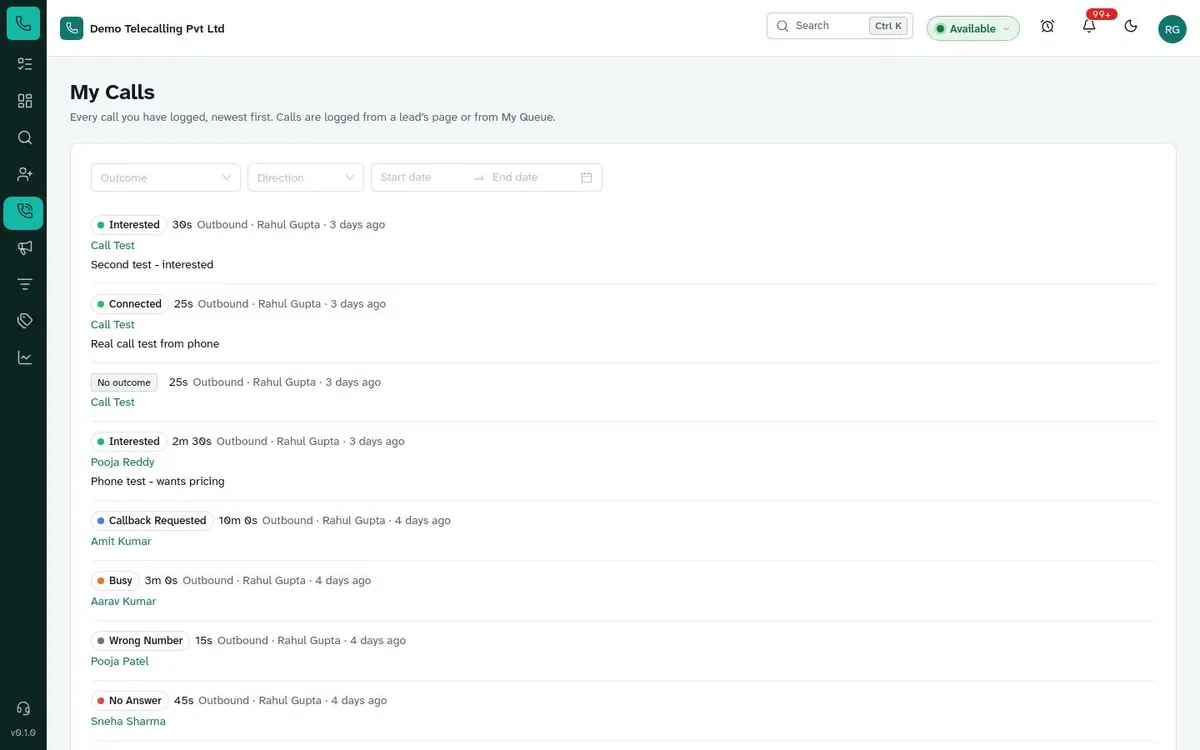
- Calling queue
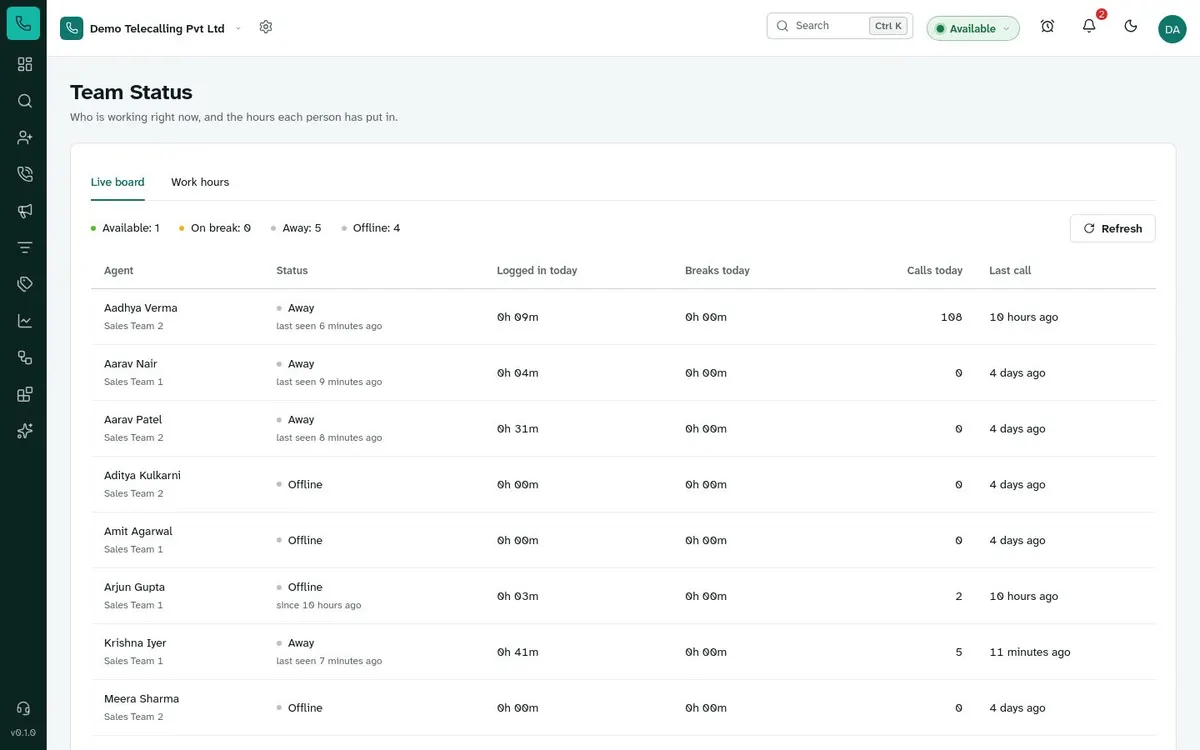
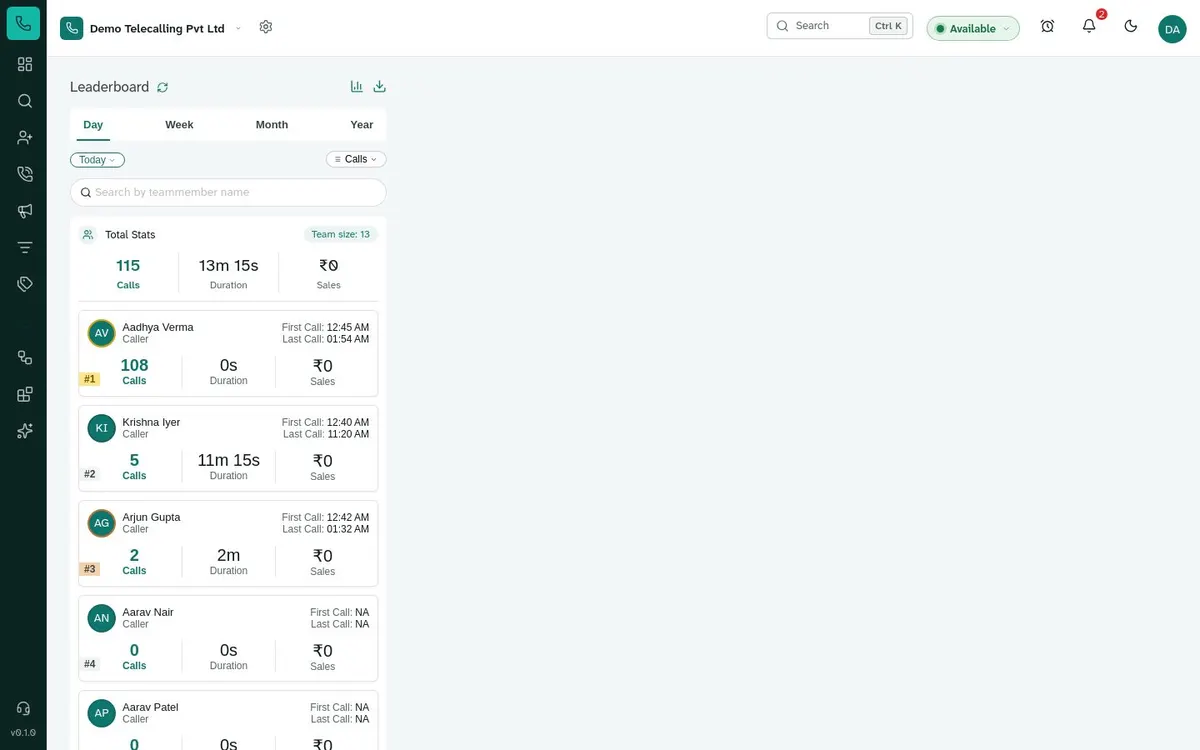
- Live dashboards
Set up for calling teams in
One screen for the whole calling day
Import, distribute, call, follow up and report, without switching tools.
15
features live today
8
industries set up for
1 step
to log a call, notes and follow-up
30 min
demo on your own lead file
From spreadsheet to closed deal in four steps
01 Import
Upload the Excel file you already have. Duplicates are caught by phone number.
02 Distribute
Spread new leads across agents with round-robin in one click.
03 Call
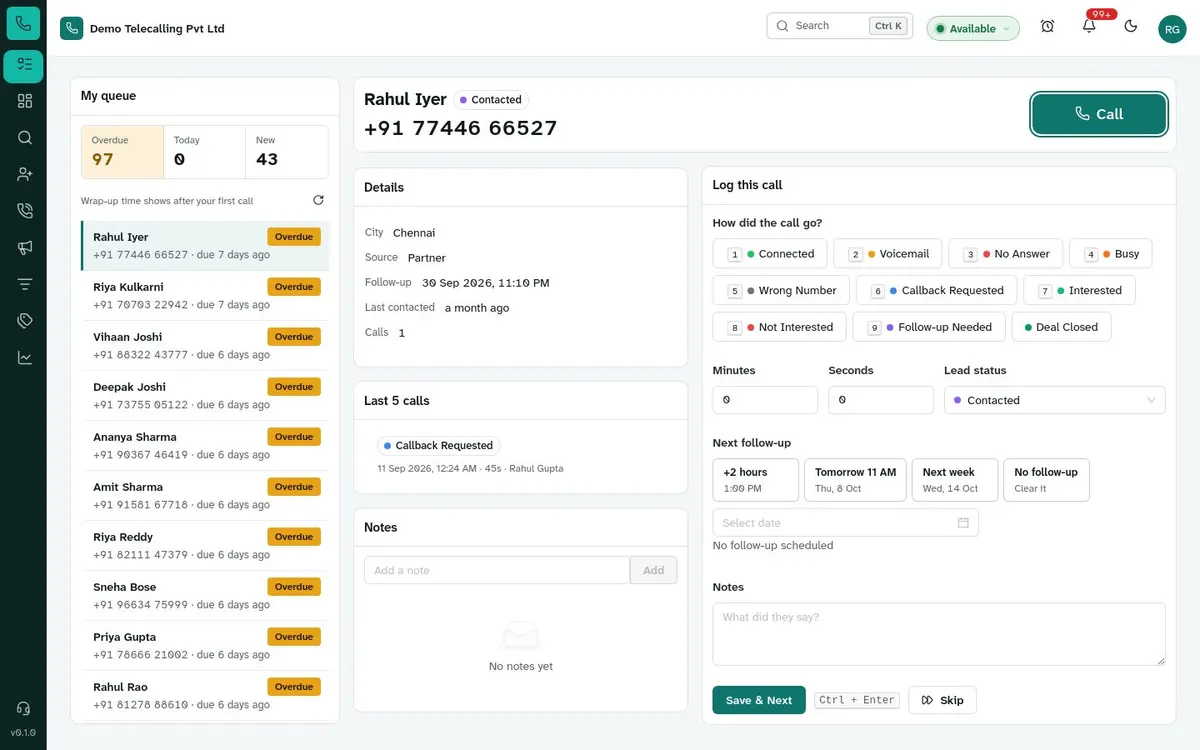
Agents work one queue: overdue follow-ups first, then new leads.
04 Measure
Managers see calls, connects and conversions live, by agent.
Built for how calling floors actually work
Generic CRMs are built for ten meetings a week. Calling teams make a hundred calls a day.
Seconds per call, not minutes
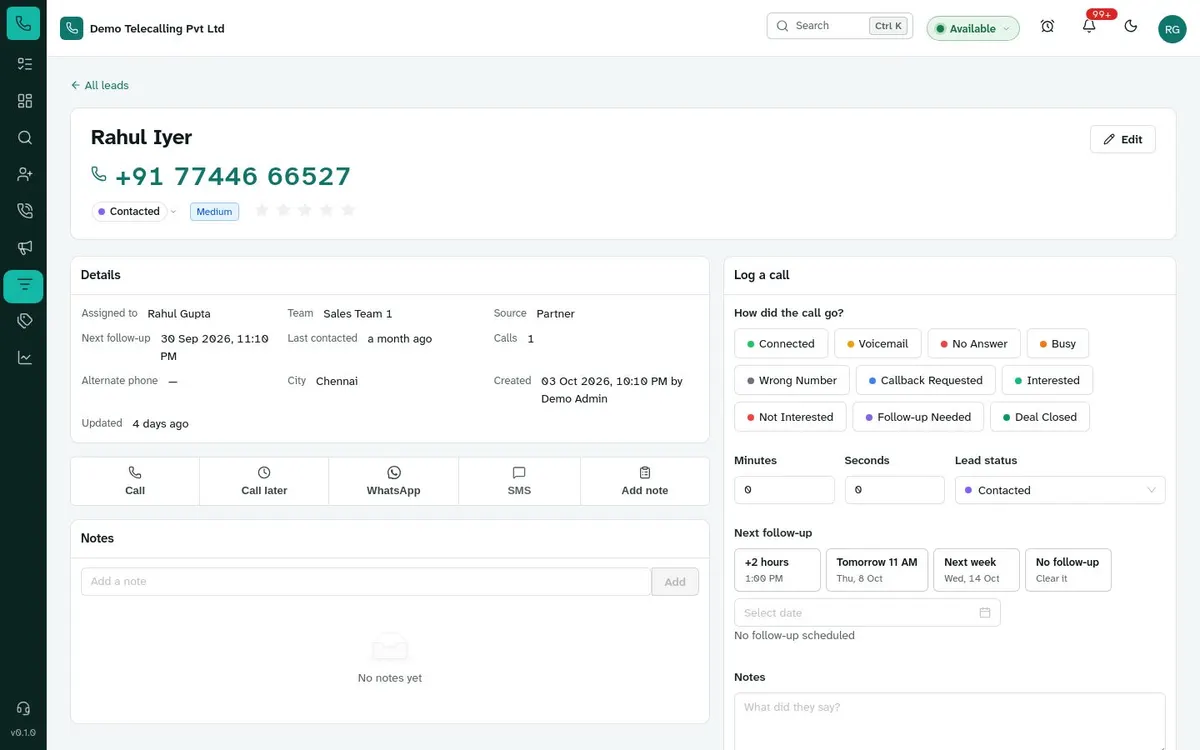
Outcome, notes, status and next follow-up are logged in one step, so agents spend their time talking to customers, not filling in forms.
Access you can explain to an auditor
Every record is checked against the user’s role on the server. Agents can’t export. Logins, exports and reassignments are logged.
Your data stays in India
Hosted in an Indian cloud region. Encrypted storage, daily backups and point-in-time recovery are coming with our production launch.
Open by design
Website forms, webhooks and API access connect your website, lead portals, billing or ERP.
Everything a calling team uses all day
Nothing extra to learn. Every screen is built around making the next call.
One calling queue
Overdue follow-ups first, then today's calls, then new leads. Agents tap, talk, log the outcome — and the next lead is already there.
Learn moreFollow-ups that happen
Set the next call in one tap. Reminders arrive on time, and overdue calls rise to the top of the queue.
Learn moreExcel import
Upload the sheet you already have. Columns are mapped, duplicates caught by phone number.
Learn moreFair, instant distribution
Spread new leads across the team in one click — evenly by round-robin, or to a chosen team.
Learn moreLive dashboards & reports
Calls, connects and conversions by agent, updated as they happen. Export any report in a click.
Learn moreHosted in India
Indian cloud region; encrypted storage and daily backups coming soon. Every record checked against the user's role.
Learn moreSmall moments, done right
Previews of moments your team goes through hundreds of times a shift in VM CRM. Try them.
Change a lead's status
Priya SharmaFreshActiveClosedConverted isn't in the list: Convert sets it.
Activity history
- Meera Sharma scheduled a follow-up for 09 Oct 2026, 11:00 AM12 minutes ago
- Meera Sharma changed status from New to Contacted13 minutes ago
- Meera Sharma logged an outbound call: Interested (3m 12s)13 minutes ago
- WhatsApp sent: Hi Priya, sharing the site plan as promised.2 hours ago
- Note added by Meera Sharma2 hours ago
- Rahul Gupta assigned the lead to Meera Sharmayesterday
Add leads from Excel
- Upload
- Match columns
- Options
- 4Import
- Queued
- Reading the file
- Adding leads
- Done
expo-leads-oct.xlsx0%0 of … rows. You can leave this page.
Get started
Your progress2 of 51 steps done4%- All you need to get started2/13
- Calling & Messaging0/6
- WhatsApp0/4
- IVR / Cloud Telephony0/7
- Configure lead fields
- Configure lead stages
- Add team members
- Import leads from another CRM (Excel)
Lead views
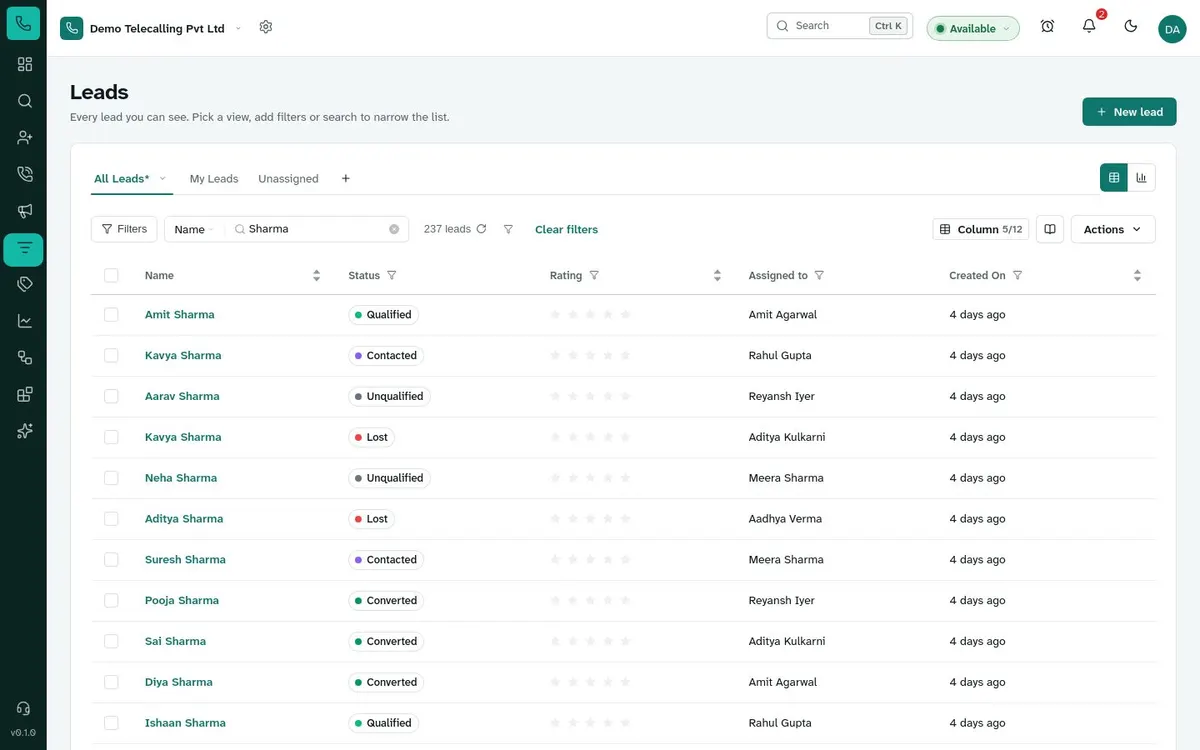
Name Status Next follow-up Priya Sharma Contacted Tomorrow, 11:00 AM Kavya Nair Qualified Today, 4:30 PM After the call
Next follow-up
Your whole floor, live
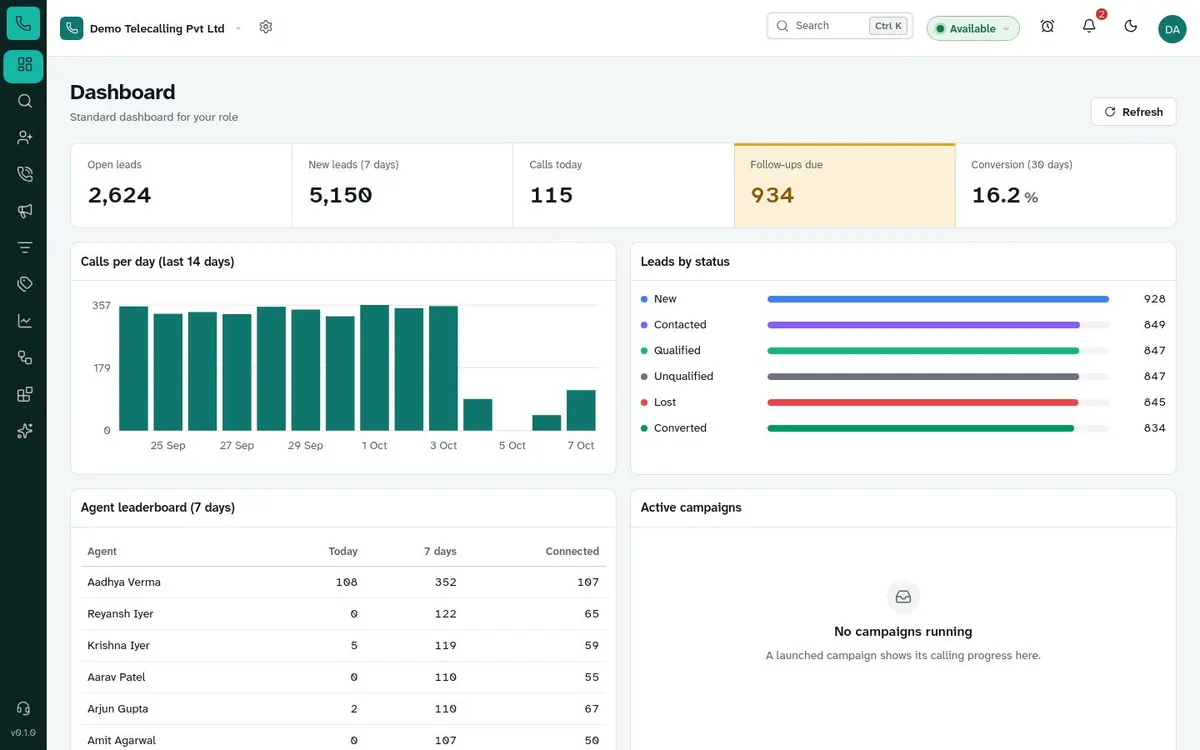
Calls, connect rate, follow-ups and who is available right now, each against the period before. Switch the range.
Dashboard
Standard dashboard for your role
Calls dialled
1,284
96 up on yesterday at this timeConnect rate
61.2%
2.3 pts up on yesterday at this timeFollow-ups due
86
12 overdueConversions
23
5 up on yesterday at this timeCall volume
Agents
| Agent | Now | Calls | Connect | Talk time | Last call |
|---|---|---|---|---|---|
| Anita Rao | Available | 142 | 66.2% | 3h 12m | 2 minutes ago |
| Sana Khan | Available | 121 | 63.6% | 2h 55m | 6 minutes ago |
| Rohit Verma | On break | 128 | 59.4% | 2h 47m | 18 minutes ago |
| Vikram Joshi | Away | 97 | 52.6% | 2h 5m | 41 minutes ago |
| Neha Iyer | Offline | 64 | 55% | 1h 22m | 3 hours ago |
Coming soonOn a call and wrap-up, shown live from the dialler.
Leads arrive from where you already get them
Connect your portals, ad forms and phone system once; new enquiries land in the queue.
Configured for your sales process
Your stages, your fields, your outcomes — set up by your admin, no code needed.
Real Estate
Turn property enquiries into site visits
See howEducation & EdTech
Fill every batch before the deadline
See howLoans & Financial Services
Move applicants from enquiry to disbursal
See howInsurance
Never miss a renewal or a quote follow-up
See howHealthcare & Clinics
Book more consultations, follow up on every patient
See howTravel & Hospitality
Convert trip enquiries while they’re still planning
See howAutomobile Dealerships
From test-drive enquiry to delivery
See howB2B & Services
Outbound prospecting that actually gets followed up
See howQuestions teams ask us
How calling works, what your team sees, and where your data lives.
Ask us something elseDo my agents need a special phone or dialer?
No. Agents tap a number to call from their mobile or an installed softphone, then log the outcome in the queue. Or connect your cloud-telephony provider (CallerDesk, Knowlarity, Tata Tele and others) for click-to-call, recordings and automatic logging.
Can we import the leads we already have in Excel?
Yes. Upload .xlsx or .csv, map your columns (including custom fields), choose how duplicates are handled and optionally assign leads to agents during the import. Rows with problems come back in a downloadable report.
Can we rename lead stages to match our process?
Yes. Lead statuses, call outcomes, pipeline stages and custom fields are all configurable by your admin.
Who can see which leads?
Agents see only their own leads. Managers see their team’s leads plus the unassigned pool. Admins see everything. This is enforced on the server for every request.
Where is our data stored?
In an Indian cloud region, on managed PostgreSQL. Encrypted storage and automated backups are coming with our production launch.
Is there WhatsApp integration?
The app already has the WhatsApp connection settings, approved templates and a chat panel on each lead. Sending through the official Cloud API for every workspace is coming soon. We only list features as available once they ship.
See your team’s calling day in VM CRM
A 30-minute walkthrough with your own lead file — import, distribute, call and report.